Guide to Routine Computer Maintenance for Businesses
Computer systems are the backbone of every modern business. A slow, malfunctioning computer or unexpected system failure not only disrupts work but also causes significant financial losses. Research shows that the average downtime for a small and medium-sized enterprise due to IT failures can cost between 5 and 20 million VND per hour when accounting for personnel costs, lost business opportunities, and remediation costs.
Regular computer maintenance is a proactive solution to prevent such situations. This article provides a comprehensive guide to enterprise computer maintenance —from hardware, software, and internal networks to specific maintenance schedules for each cycle.
Why is Business Computer Maintenance Important?
Many businesses only call technicians when a machine has already broken down — this is a "cure" mindset that is far more expensive than a "preventive" one. The practical benefits of regular maintenance include:
- Extending equipment lifespan: Properly maintained computers can function effectively for an additional 2–4 years compared to neglected ones.
- Increased work efficiency: A clean system, free from disk fragmentation and junk software consuming resources, helps employees work faster.
- Reduce the risk of data loss: Detect early signs of hard drive failure before it completely fails.
- System security: Security patches prevent ransomware and virus attacks.
- Long-term cost savings: Routine maintenance costs are typically 60–70% lower than the cost of emergency repairs and data recovery.
Part 1: Hardware Maintenance
Equipment Cleaning
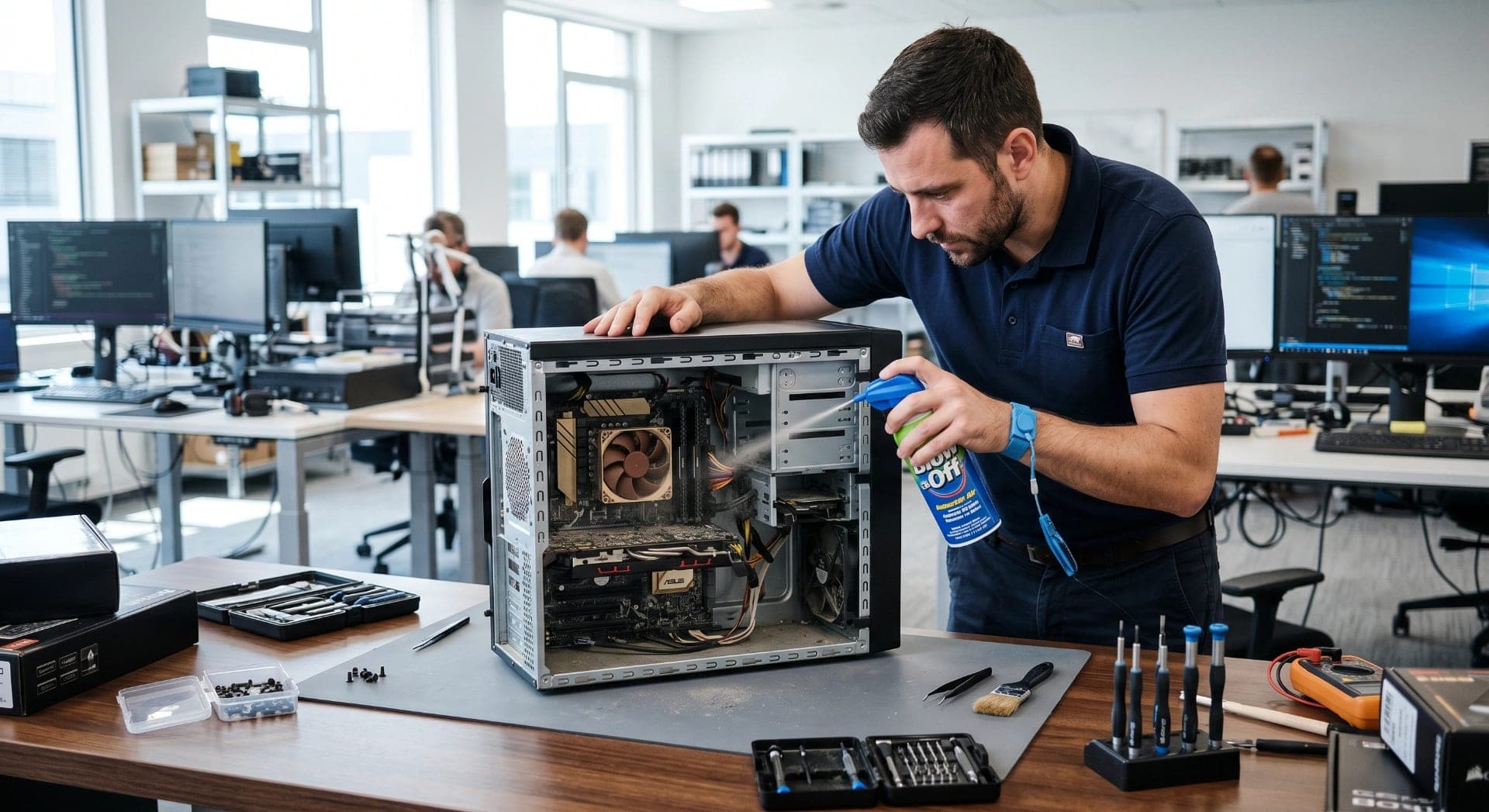
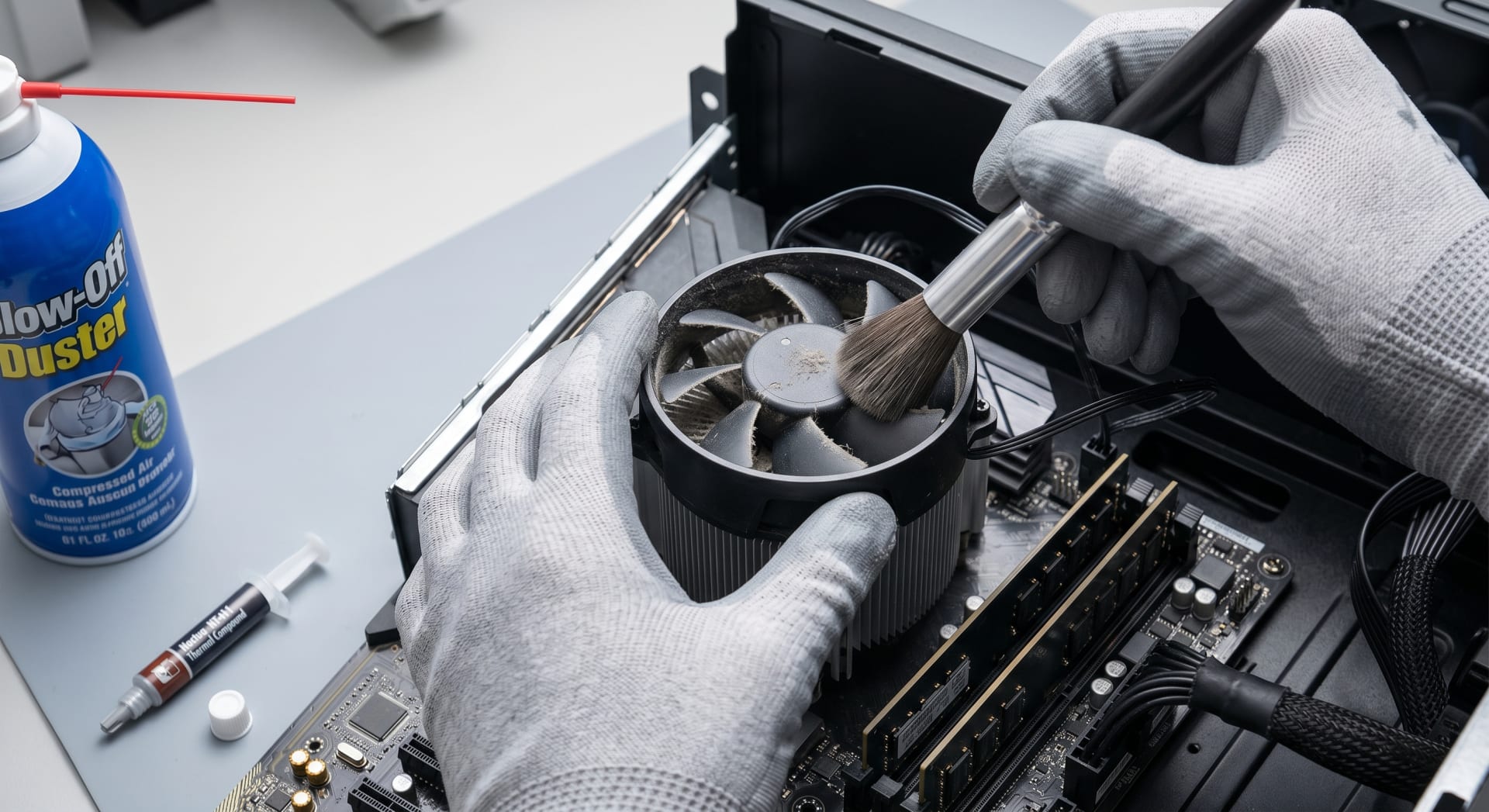
Dust is the number one enemy of computer hardware. Dust buildup on cooling fans and vents causes CPU and GPU temperatures to rise, leading to throttling and even component burnout.
Standard cleaning procedure:
- Turn off the device and unplug it completely before cleaning.
- Use a can of compressed air to blow away dust from the case, CPU fan, power supply fan, and PCI slots.
- Clean the screen with a specialized damp microfiber cloth — do not use high-concentration alcohol.
- Clean the keyboard with 70% isopropyl alcohol and use a cotton swab to clean the key gaps.
- Inspect the internal connecting cables, ensuring they are not loose or worn out.
Replace CPU Thermal Paste
Thermal paste has a lifespan of 2–4 years. Old, dried paste can increase CPU temperature by 10–20°C above normal. Signs that the paste needs replacing include: CPU temperature consistently above 85°C under light load, and the computer shutting down unexpectedly during heavy use.
Check the Health of Your Hard Drive (HDD/SSD)
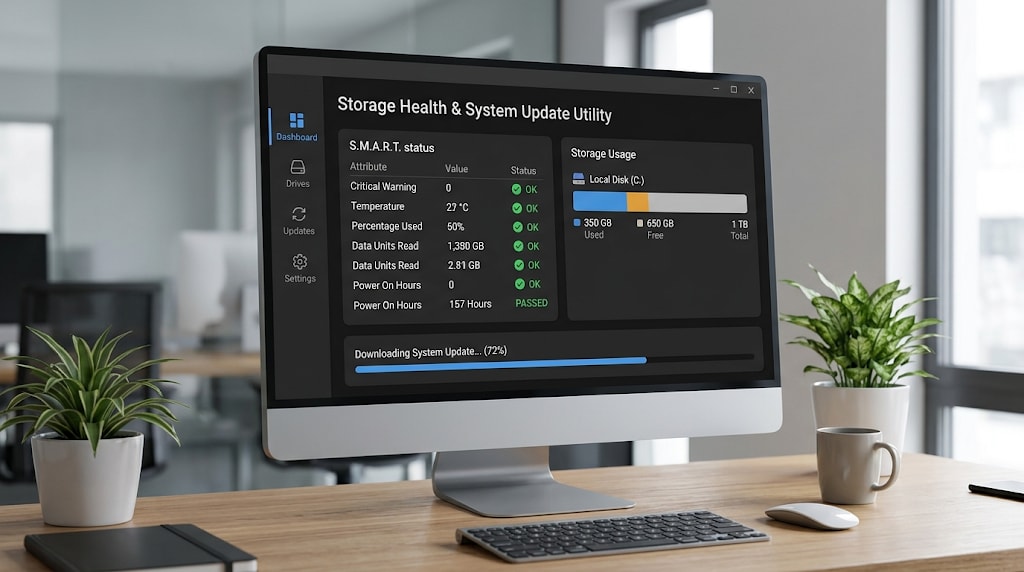
- HDD: Use a tool like CrystalDiskInfo to read the SMART index. Pay attention to the values: Reallocated Sectors Count, Spin Retry Count, Uncorrectable Sector Count — any value other than 0 is cause for concern.
- SSD: Check the remaining TBW (Terabytes Written) and Wear Leveling Count. SSDs have a finite lifespan based on the number of write cycles.
- Action: Back up immediately and plan for replacement if bad sectors are detected or the SSD has exceeded 80% of its lifespan.
Check RAM
RAM errors often manifest as a blue screen of death (BSOD), random application crashes, or unstable performance. Use Windows Memory Diagnostic or MemTest86 to perform a comprehensive check. If errors are detected, replace the faulty RAM module immediately—do not delay as this could lead to data corruption.
Part 2: Software Maintenance
Update your operating system and drivers.
Operating systems (Windows/macOS/Linux): Updates not only add features but also patch critical security vulnerabilities. In 2023, over 60% of successful cyberattacks exploited security vulnerabilities that had already been patched but which businesses had not yet updated.
- Enable automatic Windows Update or schedule updates outside of business hours.
- Do not delay critical security patches for more than 30 days.
Device drivers: Outdated drivers for graphics cards, network cards, and sound cards can cause system conflicts. Use Device Manager or the manufacturer's software to update them regularly.
Antivirus Software Management
Antivirus software is only effective when its database is constantly updated. For businesses, it's necessary to implement centralized endpoint protection instead of individual antivirus software.
- Ensure 100% coverage — no machine on the network is left unprotected.
- Schedule a full system scan weekly on weekends or outside of business hours.
- Consider an Endpoint Detection and Response (EDR) solution for businesses with more than 20 machines.
Clean Up and Optimize Your Disk
- Disk Cleanup / Storage Sense: Deletes temporary files, cache, old log files, and the Recycle Bin.
- Uninstall unused software: Unused software takes up space and sometimes runs background processes that consume RAM.
- Defragmentation: Only necessary for HDDs — SSDs don't need and shouldn't be defragmented frequently as it reduces their lifespan.
- Startup programs: Check and disable unnecessary programs that start with Windows via Task Manager > Startup.
Part 3: Maintaining the Internal Network System
Update Router and Switch Firmware
Routers and switches also need regular firmware updates to patch security vulnerabilities and improve performance. Many businesses skip this step, making network equipment the weakest point in their security system.
Check your network cable and connection.
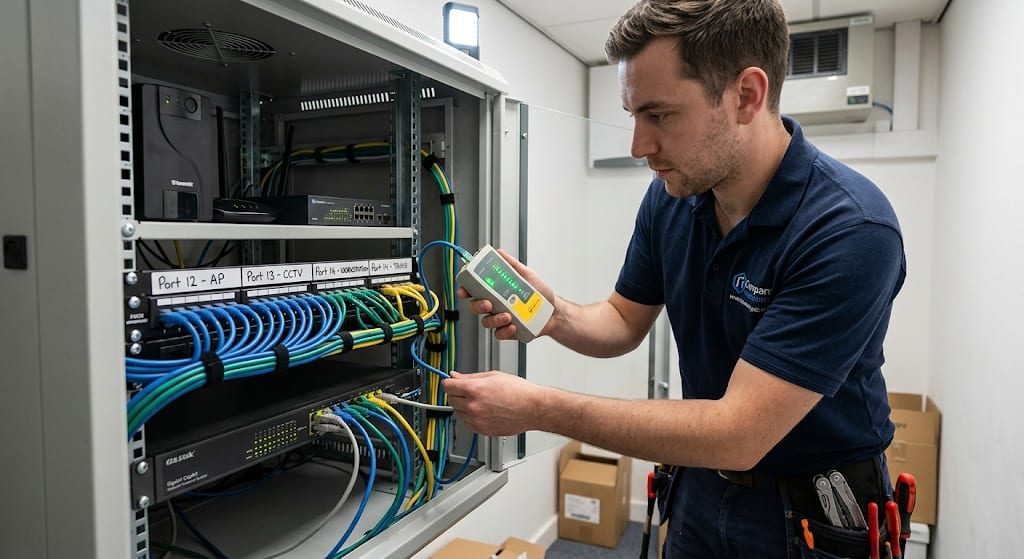
- Inspect CAT5e/CAT6 cables at splice points that are frequently stepped on or stretched.
- Use a cable tester to detect hidden breaks that are not visible to the naked eye.
- Clean the RJ45 ports and connectors with isopropyl alcohol.
Network Security Check
- Change your WiFi password periodically (at least every 6 months).
- Review the list of connected devices — detect unauthorized connections.
- Verify that the firewall and ACL configurations are still compatible with the current organizational structure.
Enterprise IT Maintenance Schedule: Daily, Weekly, Monthly, Quarterly
Every Day
- Check the data backup status (success or failure).
- Check alerts from the monitoring system, if any.
- Ensure the UPS/uninterruptible power supply is functioning properly.
Weekly
- Scan the entire system for viruses.
- Checking system logs detects unusual errors.
- Update application software and virus definitions.
- Check disk space — warning when less than 20% is free.
Monthly
- Update your operating system and device drivers.
- Clean up junk files, temporary files, and old log files.
- Check your hard drive health using SMART.
- Backup recovery process testing (restore test)
- Clean the outside of the computer (keyboard, monitor, mouse).
Quarterly
- Clean the inside of the computer case (remove dust and thermal paste if needed).
- Check all network cables and connections.
- Evaluate overall system performance.
- Review installed software — remove unnecessary software.
- Update firmware for routers, switches, and UPS.
Benefits of Outsourcing IT Maintenance Services
For small and medium-sized businesses, building an in-house IT department is costly and inefficient. Outsourced computer maintenance services offer the following advantages:
- Predictable costs: Fixed monthly service packages instead of unexpected repair expenses.
- Diverse expertise: Our team of technicians has experience with a wide range of hardware and software.
- Fast response: Service Level Agreements (SLAs) guarantee a response time — typically 2–4 hours for serious incidents.
- Continuous technological updates: Service providers are always monitoring the latest security and technology trends.
Common Accidents and How to Prevent Them
Problem
Common causes
Preventive measures
The machine is running slowly.
Full hard drive, junk software, insufficient RAM.
Regular cleaning and capacity monitoring.
Blue Screen of Death (BSOD)
RAM error, driver conflict, hard drive failure
Regularly check your RAM/HDD and update your drivers.
Data loss
Sudden HDD failure, ransomware
3-in-1 backup, virus removal, OS update
Overheating causes it to shut off automatically.
Dust blockage, dried thermal paste.
Maintain good hygiene, monitor temperature.
The network is unstable.
Loose cable, outdated firmware, interference.
Check the cables, update the router firmware.
Quang Duc's IT Maintenance Services
Quang Duc Electronics and Telecommunications Co., Ltd. provides comprehensive business computer maintenance services in the region, including:
- Regular hardware and software maintenance according to an agreed schedule.
- 24/7 remote support for emergencies.
- Centralized endpoint security management and system updates.
- Consulting services for upgrading equipment when existing infrastructure no longer meets needs.
- Provide transparent, periodic system status reports to management.
With experience serving hundreds of local businesses, Quang Duc's technical team understands the practical needs and operational pressures of Vietnamese businesses.
Conclude
Computer maintenance isn't an expense—it's an investment in protecting your entire business operation. A well-structured IT maintenance schedule ensures stable system operation, efficient employee performance, and prevents unnecessary business losses.
If your business doesn't yet have a clear IT maintenance plan, now is the perfect time to start. Contact Quang Duc today for a free consultation on an IT maintenance service package that suits your business size and budget.
Hotline: [Quang Duc's phone number] | Website: cameraquangduc.vn