

NVR Camera Storage vs. Cloud Storage: Which Solution is Right for Your Business?
A system of 16 4MP cameras recording continuously 24/7 generates approximately 2–3 TB of video data per month. If a business requires 90 days of storage due to internal regulations or insurance requirements, this figure could rise to 6–9 TB—a significant challenge in terms of cost and data security.
This article analyzes the two most popular storage solutions currently available — on-premise NVRs and cloud storage — to help businesses make informed investment decisions based on their budget, scale, and actual security requirements.
What is an On-Site NVR?
An NVR (Network Video Recorder) is a dedicated, on-site video recording device that connects directly to IP cameras via a LAN to store video on an internal hard drive. This is the most traditional and common storage model in Vietnam.
Advantages of on-premise NVR
- Reasonable upfront cost: Only a one-time investment for the recorder and hard drive, with no monthly subscription fees.
- Internet-independent: The camera continues to record normally even when the internet connection is lost.
- Complete data control: Video is physically stored on-site, not through a third party.
- Unlimited internal bandwidth: Play high-resolution video over your LAN without speed limitations.
Disadvantages to note
- Risk of physical data loss: If a thief steals the DVR, or if a fire or flood occurs at the NVR location, all evidence data will be lost.
- Capacity limit: Depends on the number of hard drive bays in the recorder (usually 1–8 bays)
- Regular maintenance is required: Hard drives that operate continuously 24/7 have a limited lifespan and need to be replaced every 2–4 years.
What is Cloud Storage for Cameras?
Cloud storage stores surveillance video on a remote server provided by the cloud service provider, with video continuously uploaded via the company's internet connection.
Advantages of cloud storage
- Off-site security: Data remains intact even if on-site equipment is vandalized, damaged by fire, or stolen.
- Easy remote access: Review videos from anywhere via the mobile app without complicated VPN configuration.
- Automatic capacity expansion: No need to worry about physical hard drive bay limits.
- Integrated AI for advanced analytics: Many cloud providers integrate object recognition and intelligent AI-powered alerts into their cloud platforms.
Disadvantages to consider
- Long-term subscription costs: Monthly fees increase with the number of cameras and storage time, and the accumulated cost over many years can exceed the NVR's price.
- Upload bandwidth dependence: Weak or unstable internet connection can interrupt recording or reduce video quality.
- Third-party data security risks: Careful evaluation of the provider's security policies and server location is necessary.
Compare Storage Costs for 30/60/90 Days
The table below estimates the cost for a system of 16 4MP cameras, continuous recording, H.265 compression:
Storage time
On-site NVR (one-time cost)
Cloud storage (cost/month)
30 days
~8–12 million VND (8-bay DVR + 2 x 8TB hard drives)
1,500,000 – 2,500,000 VND/month
60 days
~14–18 million VND (4 x 8TB hard drives, RAID 5)
2,800,000 – 4,500,000 VND/month
90 days
Approximately 20–26 million VND (6 x 8TB hard drives, RAID 5/6)
4,000,000 – 6,500,000 VND/month
Cloud storage costs are recurring monthly—after 12–18 months of use, the total cloud costs often exceed the one-time NVR investment. However, NVRs do not offer the off-site security features of cloud storage.
Formula for estimating storage capacity
The required storage capacity depends on: camera resolution, frame rate (FPS), compression standard (H.264 or H.265), and the number of days of storage. H.265 compression saves 40–50% of storage space compared to H.264 at the same image quality—this is an important factor to consider when choosing cameras and NVRs.
Surveillance-Grade Dedicated Hard Drives: Why Not Use Regular Hard Drives?
Standard desktop-grade computer hard drives are not designed for continuous 24/7 recording. Using the wrong type of hard drive is a leading cause of camera data loss.
Popular surveillance-grade hard drive models
- WD Purple (Western Digital): Designed specifically for camera systems, supporting up to 64 cameras/8 AI channels depending on the model, AllFrame technology reduces frame loss.
- Seagate SkyHawk: Optimized for continuous recording, supports remote hard drive health monitoring via Seagate SkyHawk Health Management.
- Toshiba Surveillance HDD (S300): An alternative with comparable durability and competitive pricing.
Mandatory rule: Never use desktop-grade hard drives (WD Blue, Seagate Barracuda) for continuous video recording systems — their average lifespan is only 1–1.5 years compared to 3–5 years for dedicated hard drives.

RAID Configuration for Enterprise NVR Systems
RAID (Redundant Array of Independent Disks) is a technology that combines multiple hard drives to increase security and performance, which is extremely important for enterprise camera systems where data cannot be lost.
RAID 1 — Mirroring
- A minimum of two hard drives is required, and data must be written simultaneously to both drives.
- If one drive fails, the system will still function normally with the remaining drive.
- Disadvantage: usable capacity is only 50% of the total hard drive capacity.
RAID 5 — Striping with Parity
- A minimum of 3 hard drives are required, with distributed data and parity information for recovery.
- Can withstand a single hard drive failure without data loss.
- Higher capacity efficiency than RAID 1 — suitable for systems with more than 8 cameras
Checklist for selecting NVR storage configuration
- Determine the minimum retention period required by internal or industry regulations.
- Calculate the total required storage capacity based on the number of cameras, resolution, FPS, and compression standard.
- Choose RAID 1 for small systems (under 8 cameras), RAID 5 for larger systems.
- Use a surveillance-grade hard drive, not a desktop drive.
- Have a plan to back up important data regularly to an external hard drive or the cloud.
Data Security and GDPR/Data Protection Regulation Issues
When choosing cloud storage, businesses need to pay special attention to server location and data security policies, especially if cameras are recording areas containing personal information of customers or employees.
- Server location: Preference will be given to providers with servers located in Vietnam or Southeast Asia to comply with domestic data storage regulations.
- Data encoding: Video needs to be encoded both during transmission (in-transit) and during storage (at-rest).
- Hierarchical access: Only authorized personnel can view/download videos, and access logs (audit logs) are available.
- Data deletion policy: Clearly define the maximum data retention period and the process for automatic data deletion after the deadline.
Hybrid Solution: Combining NVR and Cloud Backup
For the majority of small and medium-sized enterprises in Vietnam, a hybrid solution—combining on-premise NVRs as primary storage and cloud backup for critical events—offers the best balance between cost and data security.
Popular hybrid models
- On-site NVRs continuously record all cameras and store footage for 30–60 days.
- The cloud only stores video clips containing events (motion detection, AI alerts) — significantly reducing bandwidth and cloud storage costs.
- Critical data (evidence of incidents) is flagged and synced to the cloud manually or automatically.
This model helps businesses save 50–60% on cloud storage costs compared to continuously uploading all videos, while still ensuring secure off-site backups for important events.
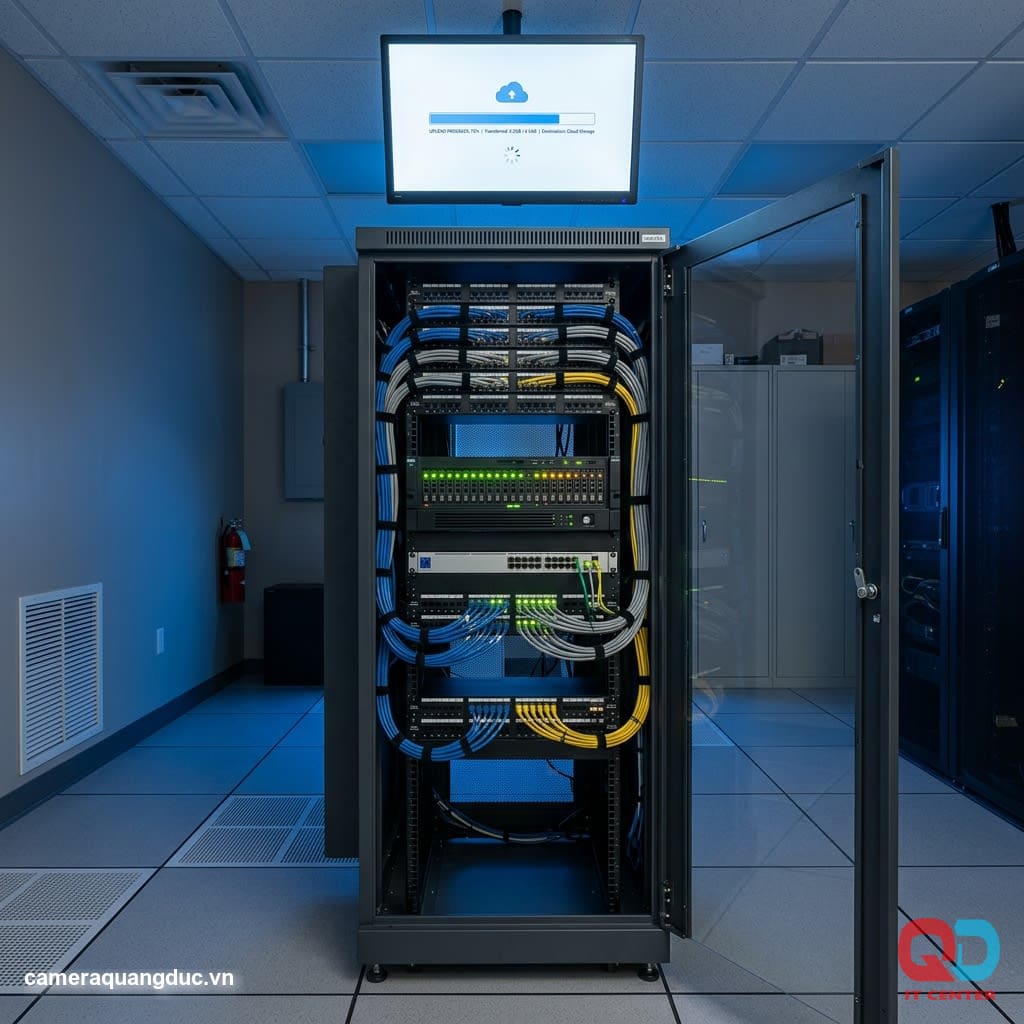
Quang Duc's Camera Storage and Consulting Services
Quang Duc Electronics and Telecommunications Co., Ltd. provides comprehensive camera storage solutions for businesses, including:
- We provide consultation to calculate the appropriate storage capacity based on the number of cameras and storage duration requirements.
- We supply genuine NVR recorders and surveillance-grade hard drives from WD Purple and Seagate SkyHawk.
- Professional RAID configurations ensure data safety in the event of hard drive failure.
- Integrating a hybrid cloud backup solution for businesses requiring off-site storage.
- Regular maintenance, monitoring hard drive health, and timely replacement before failure are essential.
With experience in deploying camera storage systems for various types of businesses, Quang Duc always proposes solutions that fit the actual budget, avoiding unnecessary investment.
Conclude
There is no single "absolute best" camera storage solution — on-premise NVRs are suitable for businesses needing cost control and internet independence, while cloud storage offers off-site security and flexible access. For most small and medium-sized businesses, a hybrid model combining both is the most balanced and practical option.
Let Quang Duc assess your specific needs and propose the optimal camera storage solution for your business.
Hotline: 0903 306 126 (Mr.Vũ Trần) | Website: cameraquangduc.vn