Choosing Office Printers & Photocopiers: Comparing Laser, Inkjet, and Multifunction Machines
According to a Gartner report, printing costs account for an average of 1–3% of a small and medium-sized enterprise's revenue —largely due to businesses choosing the wrong type of printer or failing to control the cost per page. In Vietnam, the office printer market in 2024 recorded over 500,000 units sold, with businesses accounting for approximately 60%. However, many organizations are still paying 2–4 times the optimal cost per page due to choosing the wrong printing technology for their actual workload.
1. Understand Printing Technologies Before Making a Decision

Each printing technology has its own characteristics in terms of speed, operating costs, output quality, and durability. Choosing the right technology to suit your specific needs is the most important step.
1.1 Mono Laser (Black and White Laser)
Laser printing technology uses a laser beam in combination with a toner cartridge and a drum to print on paper. This is the standard choice for plain text office printing.
- Speed: 25–50 pages per minute (ppm) depending on the model — significantly faster than inkjet printing.
- Cost per page: 300–600 VND/page (including toner + drum, averaged per cycle)
- Quality: Sharp, durable text that won't smudge when exposed to water.
- Disadvantages: Cannot print in color, higher initial investment cost compared to inkjet printers in the same segment.
1.2 Color Laser
Similar to a black and white laser printer, but uses 4 CMYK ink cartridges. Suitable for offices that frequently print color documents (reports, brochures, presentation slides).
- Speed: 20–35 ppm color, 25–40 ppm black and white
- Cost per color page: 1,500–4,000 VND/page (4 boxes of CMYK toner)
- Cost per black and white page: 400–700 VND/page
- Disadvantages: High machine price (8–50 million VND depending on the model), color toner is more expensive than ink for inkjet tanks.
1.3 Ink-Tank Inkjet (EcoTank / MegaTank)
Inkjet printers use print heads and liquid ink that is refilled via a tank. Epson EcoTank, Canon MegaTank, and HP Smart Tank are popular models in Vietnam.
- Speed: 10–20 ppm (significantly lower than laser)
- Cost per black and white page: 150–350 VND/page (cheap tank ink)
- Cost per color page: 400–900 VND/page
- Advantages: High-quality photo printing, very low ink costs, suitable for internal marketing photo printing.
- Disadvantages: Slow speed, low duty cycle, nozzles easily become clogged if not used regularly.
1.4 Multifunction Printer (MFP)
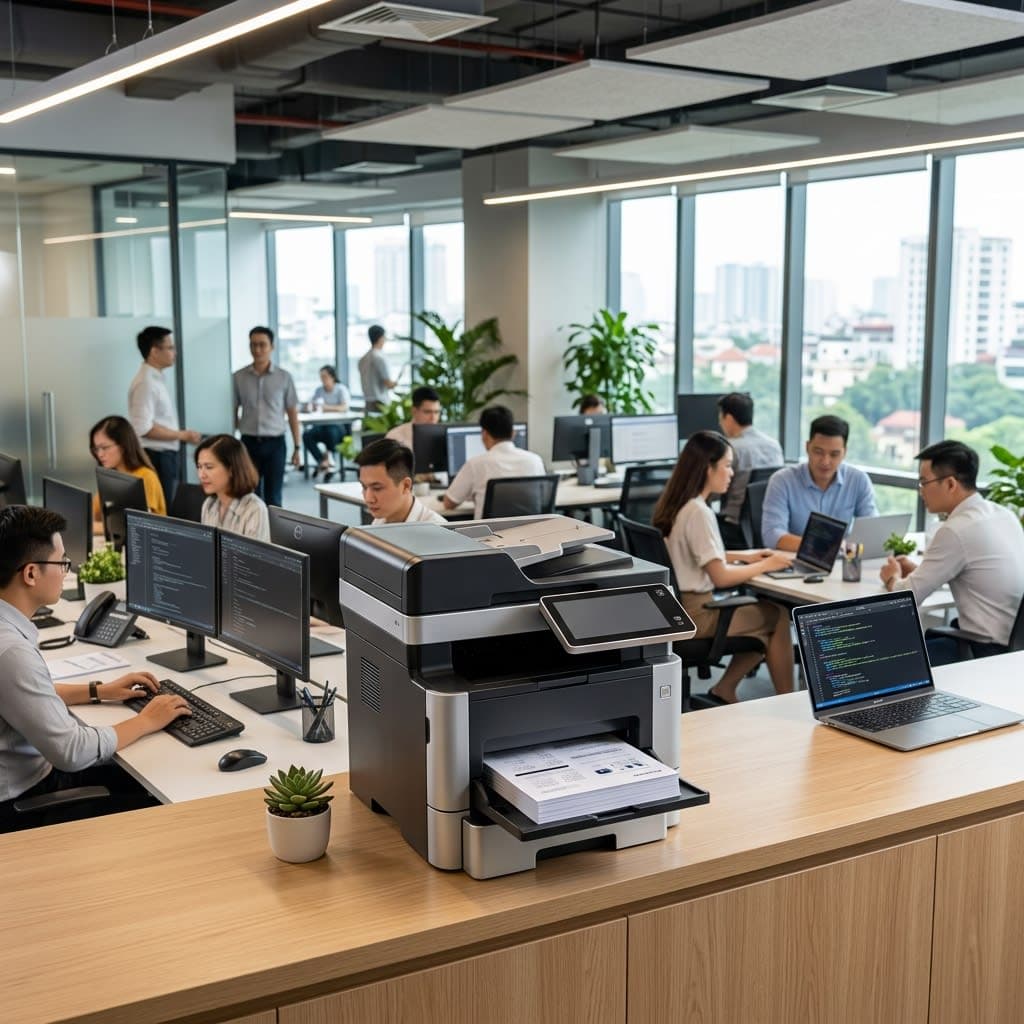
Multifunction printers (MFPs) integrate printing, scanning, and copying, and some models may also include faxing. This is the most popular choice for business offices due to its space-saving and cost-effectiveness.
- Functions: Printing, Scanning (ADF), Photocopying, Faxing (depending on model)
- Connectivity: USB, Ethernet, Wi-Fi, AirPrint, Mopria
- Classification: Black and white laser MFP, Color laser MFP, Inkjet ink-tank MFP
- Benefits: One device replaces separate printer + scanner + photocopier.
2. Comparison Table of 4 Types of Office Printers

Criteria
Black and white laser
Color laser
Ink-tank for color spraying
Multifunction MFP
Printing speed
25–50 ppm
20–35 ppm
10–20 ppm
20–40 ppm
CPP black and white
300–600 VND
400–700 VND
150–350 VND
300–700 VND
CPP color
Do not have
1,500–4,000 VND
400–900 VND
500–4,000 VND
Duty cycle/month
5,000–50,000 pages
5,000–30,000 pages
1,000–5,000 pages
3,000–40,000 pages
Machine price
3–20 million
8–50 million
3–12 million
5–60 million
Most suitable
High-volume document printing office
In color reports and brochures
Photo printing, internal marketing
The office needs scanning, copying, and printing services.
3. Duty Cycle and Actual Print Volume
This is the most important specification that many businesses overlook when buying a printer.
3.1 What is a Duty Cycle?
A duty cycle is the maximum number of pages a printer can print in a month without breaking down. This is different from the recommended monthly volume —usually 10–20% of the duty cycle—which is the manufacturer's recommended limit to ensure the best printer lifespan.
For example: A printer has a duty cycle of 10,000 pages/month, but the recommended monthly volume is only 1,500 pages. If the office prints 3,000 pages/month, the printer will wear out faster than expected.
3.2 Calculating Actual Printing Needs
Estimation formula:
- Number of employees × average number of printed pages per person per day × 22 working days = total number of pages per month
- General office worker: ~5–15 pages/day
- Accounting/Legal: ~20–50 pages/day
- Color printing design: ~30–80 color pages/day
A company with 20 employees, averaging 15 pages/day/person = 20 × 15 × 22 = 6,600 pages/month → Requires a machine with a recommended monthly volume of ≥ 7,000 pages or two smaller machines.
3.3 Costs to be Carefully Calculated
When calculating the total cost of ownership (TCO) for a printer over three years, the following should be included:
- Toner/ink: The largest cost, accounting for 60–70% of TCO.
- Drum/Optical drum: Replace every 20,000–80,000 pages, depending on the printer model.
- Routine maintenance kit: Paper feed roller, fuser — typically after 100,000–200,000 pages.
- Printing paper: Not included in CPP but needs to be included in the overall budget.
4. Connectivity, Security, and Business Scanning Processes
4.1 Network and Mobile Connectivity
Modern office printers support a variety of connection methods:
- USB: Connects one-to-one to a computer; cannot be shared on a network.
- Ethernet (LAN): Shares the entire local network; recommended for the office's main printer.
- Wi-Fi: Convenient but with lower bandwidth, suitable for small offices that don't require network cables.
- AirPrint / Mopria: Print directly from iPhone, Android without drivers — convenient for mobile employees.
Recommendation: Shared office printers should be connected via Ethernet to ensure stable and fast transfer of large files (CAD drawings, multi-page PDFs).
4.2 Print Security — An Essential Requirement
Offices that handle sensitive documents (contracts, personnel files, financial reports) require secure printing features:
- PIN Release / Secure Print: Documents are only printed when the user enters the PIN code at the machine — preventing documents in the tray from being mistakenly taken by others.
- User Authentication: Please log in using your card or code before using the machine.
- Audit Log: Records who prints what, and when — crucial for internal control and compliance.
- Data Overwrite: Delete temporary data on the printer's hard drive after each print job to prevent data leaks.
4.3 Business Scanning Process
Modern MFPs support professional document digitization processes:
- ADF (Automatic Document Feeder): Automatic multi-page feeder — can scan 50–100 pages continuously without supervision.
- Duplex Scan: Automatically scans both sides of a page.
- OCR (Optical Character Recognition): Converts scanned images into searchable and editable text.
- Scan-to-Email / Scan-to-Folder / Scan-to-Cloud: Send scanned documents directly to email or shared folders — no software required on your computer.
- TWAIN/WIA Driver: Integrates with enterprise document management software (DMS).
5. Choose a Computer Based on Office Size
5.1 Small Office (5–15 People)
Selection checklist:
- Printing volume ≤ 3,000 pages/month → Compact monochrome laser MFP (A4)
- Need to print color frequently → Entry-level ink-tank MFP or color laser MFP
- Limited space → Prioritize MFP desktops over single-function devices.
- Budget ≤ 8 million VND → Ink-tank MFP or entry-level mono laser MFP
- Connectivity: Wi-Fi is sufficient, Ethernet if a network switch is available.
5.2 Medium-Sized Office (15–50 People)
- Printing volume 3,000–15,000 pages/month → Laser MFP A4 workgroup
- Need to scan a large number of documents → Prioritize ADF with 50+ pages and duplex scanning
- Infrequent color printing → Black and white laser + separate ink-tank color printer is more economical than color laser.
- Security: Enable PIN release, configure audit log.
- Budget: 15–35 million VND for a genuine MFP workgroup laser.
5.3 Large Offices and Enterprises (50+ People)
- Printing volume > 15,000 pages/month → High-speed A3 photocopier/MFP (40+ ppm)
- We need centralized print management → Print server, follow-me printing, quota per user
- Integrate with a Document Management System (DMS) → Scan-to-folder, OCR, SharePoint/OneDrive connectivity
- Maintenance contract: Sign a managed print services (MPS) contract with a supplier — including supplies and technical support.
- Budget: 35–150 million VND for A3 workgroup/enterprise equipment.
6. Common Mistakes When Buying a Printer for Your Business
Many businesses make the following mistakes, leading to higher-than-expected operating costs:
- Choose based on machine price instead of CPP: A cheap machine costing 3 million VND but with expensive ink may end up costing more in the long run than an 8 million VND machine with cheaper ink after one year of use.
- Failure to check the duty cycle: Overloading the printer with excessive volume leads to premature failure and high repair costs.
- Buying single-function machines separately: The total cost of 3 devices (printer + scanner + photocopier) is usually higher than one equivalent quality MFP.
- Ignore ink compatibility: Non-genuine ink cartridges may void your warranty and clog the print head or optical drum.
- No maintenance contract: Machine breakdowns without clear SLAs lead to work disruptions lasting for days.
Quang Duc Printer Supply & Maintenance Services

Quang Duc Electronics and Telecommunications Co., Ltd. provides comprehensive office printer and photocopier solutions:
- We provide consultation on selecting the right printer based on actual printing volume, budget, and the company's color requirements.
- We supply and install genuine laser printers, ink tanks, and MFPs (HP, Canon, Epson, Brother, Ricoh, Xerox) with VAT invoices.
- Configure network connectivity, print sharing, PIN release security, and scan-to-email on demand.
- We supply genuine ink cartridges, drums, and consumables at stable prices and offer delivery to your location.
- Managed print services contract with a guaranteed response time within one business day.
With experience in deploying printing systems for hundreds of businesses in Quang Nam and Da Nang, Quang Duc's technical team is ready to provide support from initial consultation to long-term maintenance for your organization's printing system.
Conclude
No single printer is suitable for every office. Businesses that print large volumes of documents should choose a black and white laser printer for optimal CPP; offices that need high-frequency color printing should consider a color laser workgroup printer; and small offices that need to print photos and internal marketing materials are well-suited to ink-tank printers. In all cases, an MFP is a smarter choice than a single-function device due to its space savings and overall cost-effectiveness.
Accurately calculating the duty cycle, comparing actual CPP, and establishing clear maintenance contracts are three crucial factors in controlling printing costs in the long term. Investing in genuine equipment with clear warranties is always more cost-effective than buying cheap, unbranded equipment when considering the total cost over 2–3 years.
Contact Quang Duc for a free printing needs assessment and a quote for the most suitable printer for your business size and budget.
Hotline: 0903 306 126 (Mr.Vũ Trần) | Website: cameraquangduc.vn